Defining your own data properties
In IBM® App Connect, you don't need to work with JSON to define the data properties for your own use case. You can use a property editor to specify the names and data types for your data properties, and then map to those properties like any other properties in App Connect.
- A document in an IBM Cloudant database might have data properties that are specified as
JSON.
{ "Address": { "City": "London", "Number": 221, "Street": "Baker Street", "Zip": "NW1 5LA" }, "Birthdate": "1854-01-06", "Name": "Mr. Sherlock Holmes" } - An HTTP method might have request headers that are specified as JSON.
{"Accept": "application/json", "Content-Type": "application/json"}
Example 1. Using the property editor
Name(string)AddressNumber(number)Name(string)Street(string)City(string)Zip(string)
-
Birthdate(date)

To specify a property, click Add property. You can then set the name and
data type of the new property. For the first property in the previous example, you enter
Name and leave the type as String.
To add the Address property, click Add property again. This time, enter
the name Address, but change the type to Object. You now see
a second Add property option for the Address object, which you can use to
define the properties within the Address object.


To change or delete properties, click Edit properties to switch back to the property editor.
In the property editor, properties with mappings can't be changed.
Example 2. Using the property editor to map a "source" array to a "target" array
Array of objects. Then,
add nested properties that are named Name and Email with a
data type of String. (You need to define a Contacts mapping that
is a list of objects with name and email details.)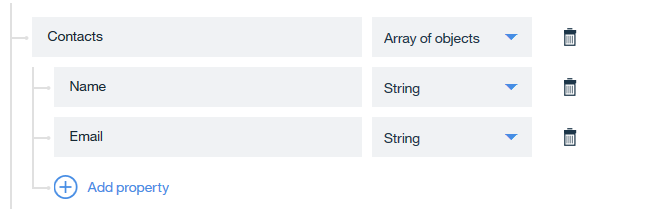
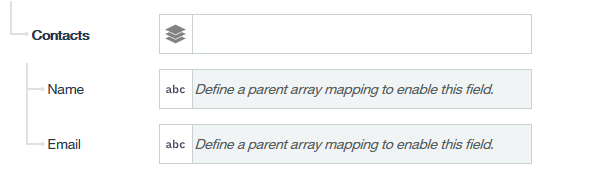
Define a parent array mapping to enable this
field
.
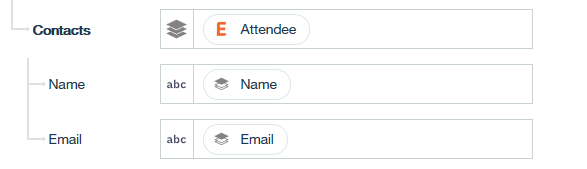
![Screenshot that shows the Attendee [ ] array input for an Eventbrite "Retrieve attendees" action.](../../files/faq_dataproperties_array03.png "Screenshot that shows the Attendee [ ] array input for an Eventbrite \"Retrieve attendees\" action.")

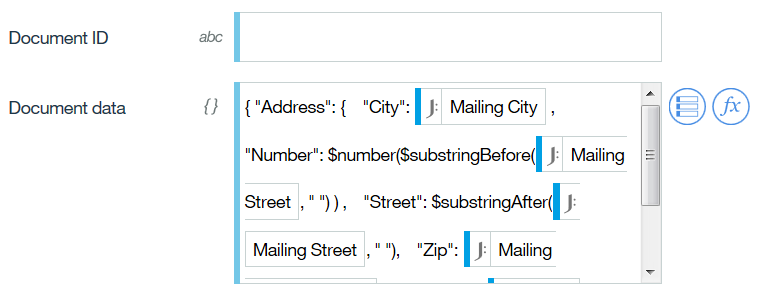
Specifying data properties as JSON
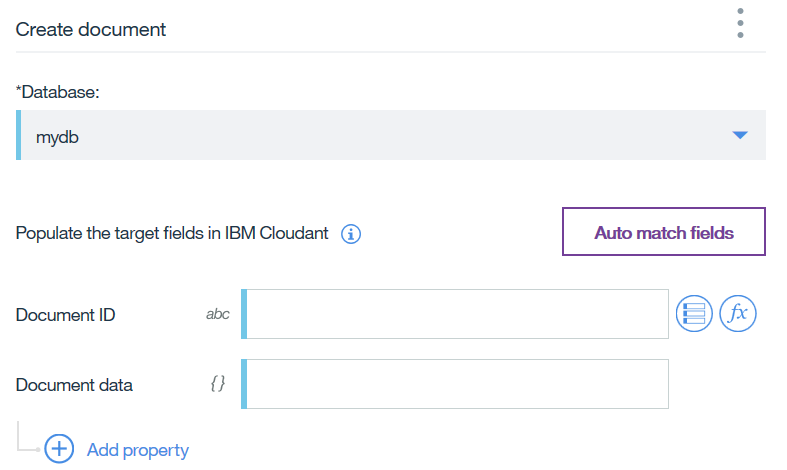
Other use cases for defining your own data properties
- By using the Set Variable node from the App Connect toolbox, you can create your own data properties. You can then create and store custom mappings in one place in your flow and reference these mappings repeatedly in other places in the same flow. For more information, see Using a Set variable node to create mappings that you can reuse within a flow.
- By using the Log node from the App Connect toolbox, you can define custom fields for specific content that you want to record in your logs. For more information, see Enhancing logging with customized log messages.