User interface concepts
People interact with process applications through user interfaces. IBM® Business Process Manager provides a number of artifacts that you can use to create these user interfaces.
Within a process application, BPD tasks that are implemented as human services contain these user interfaces. Within its own flow, every human service contains at least one coach. A coach is a user interface that users can see in a web browser. The human service can also include gateways and script tasks that affect the flow of the user interfaces or change the variables that are passed into a coach.
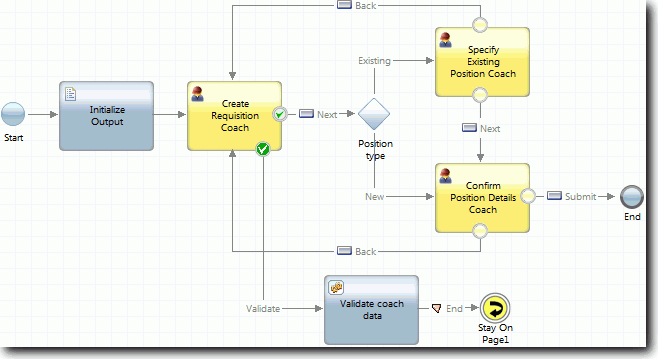
When you develop applications in IBM Business Process Manager, you create coaches and views by using the Process Designer web editor for client-side human services and the Process Designer desktop editor for heritage human services. Users see and interact with these coaches and views in a web browser when the human service is running.