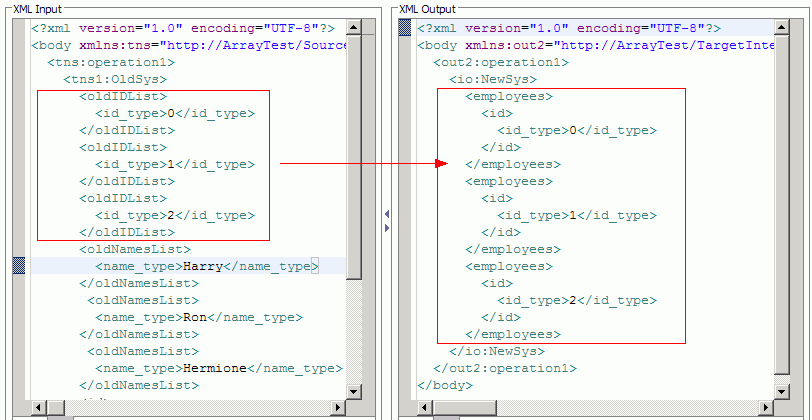
Example: Iteratively move data from an input array to an output array
Iterate over an input array, and for each iteration, move input data into output array type in the XML map editor.
Use the For Each transform to move each element of an input array into an output array. The input and output arrays may be of the same type or of different types.
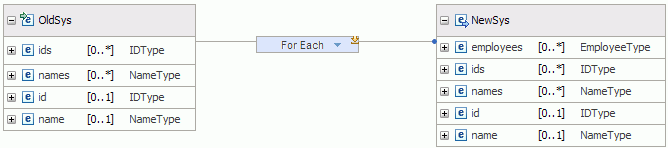
Iteration is performed over the input array. The nested map defines the type of transformations that will be performed for each iteration. Edit the nested map by clicking the edit icon on the For each transform
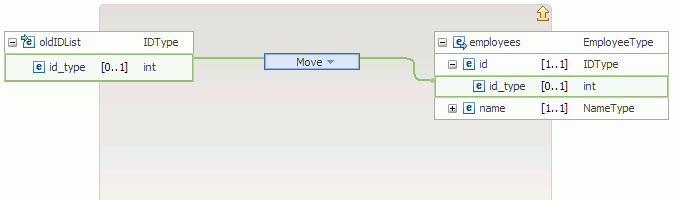
Transforms in the nested map define what will be performed on each iteration of the input array.
Right-click the map canvas, and select Test Map to see the output of the map based on the input specified.