If you removed the auxiliary cache card as a part of another
procedure, you might need to replace the card. Use the procedure in
this section to perform this task.
You must have already completed the procedure Removing the model 8233-E8B auxiliary cache
card.
To
replace an auxiliary cache card, complete the following steps:
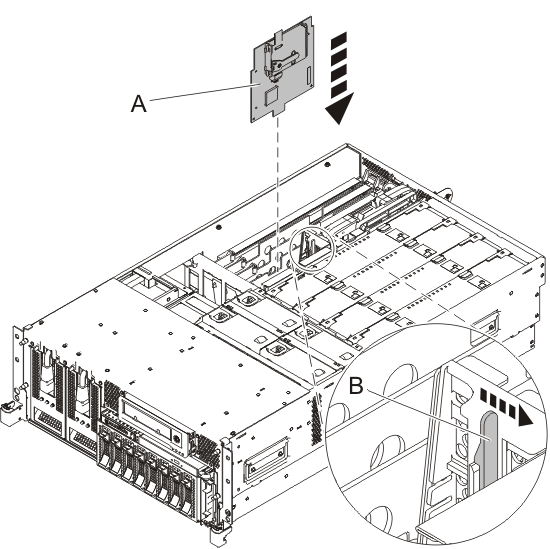
- Align the auxiliary cache card with the slot in the system.
Figure 1. Slot location for the RAID auxiliary
cache card
- Slide the auxiliary cache card(A) into
the system until the tab (B) locks into place.
Figure 2. Rack-mounted
RAID auxiliary cache card replacement
- Replace the service access cover. See Installing the service access cover on a rack-mounted
8233-E8B or 8236-E8C
- Place the system in the operating position. See Placing a rack-mounted 8233-E8B or 8236-E8C in the operating position.
- Start the system. For instructions, see Starting a system or logical partition.
- Verify that the new resource is functional. For
instructions, see Verifying the installed part.
 Subscribe to this information