 Subscribe to this information
Removing memory risers for the 8202-E4B, 8202-E4C, 8202-E4D, 8205-E6B, 8205-E6C, or 8205-E6D
Use this procedure for removing a memory riser (also known as a memory card).
If your system is managed by the Hardware Management Console (HMC), use the HMC to complete the steps for removing memory risers from the server. For information about using the HMC to remove memory risers, see Removing a part using the Hardware Management Console. If you do not have an HMC, complete this procedure to remove memory risers.
If your system is managed by the IBM® Systems Director Management Console (SDMC), use the SDMC to remove the memory riser from the server. For instructions, see Removing a part by using the Systems Director Management Console. If you do not have an SDMC, complete this procedure to remove a memory riser.
To remove a memory riser:
- Reach behind
the system and disconnect all power cords from the unit you are servicing. Figure 1. Disconnecting the power cords
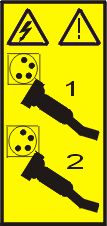
 Note: An optional power supply is available in the 8202-E4B or 8202-E4C server. The 8205-E6B or 8205-E6C server is equipped with a mandatory second power supply. Before continuing with this procedure, ensure that the power source to the system has been disconnected.
(L003)
or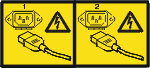
- Remove the memory riser from the system by pulling the
locking tabs (A) into the open position and
lifting the memory riser out of the system. Figure 2. Removing a memory riser

Next, replace the memory riser you removed or install a new memory riser.
