 Subscribe to this information
POWER7 information
Replacing memory risers for the 8202-E4B, 8202-E4C, 8202-E4D, 8205-E6B, 8205-E6C, or 8205-E6D
Use this procedure to replace an existing memory riser.
Attention: If you are installing a new or upgraded
memory riser, see Installing memory risers for the 8202-E4B, 8202-E4C, 8202-E4D, 8205-E6B, 8205-E6C, or 8205-E6D. If you are replacing a memory riser as part of
a service procedure, complete the following procedure.
If your system is managed by the HMC, use the HMC to complete the steps for replacing a memory riser in the server. For information about using the HMC to replace memory risers, see Exchanging a part using the Hardware Management Console.
If your system is managed by the IBM® Systems Director Management Console (SDMC), use the SDMC to replace the memory riser in the server. For instructions, see Replacing a part by using the Systems Director Management Console. If you do not have an SDMC, complete this procedure to replace a memory riser.
To replace a memory riser:
- Reach behind
the system and disconnect all power cords from the unit you are servicing. Figure 1. Disconnecting the power cords
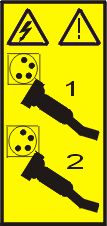
 Note: An optional power supply is available in the 8202-E4B or 8202-E4C server. The 8205-E6B or 8205-E6C server is equipped with a mandatory second power supply. Before continuing with this procedure, ensure that the power source to the system has been disconnected.
(L003)
or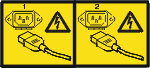
- Replace the memory riser.
- Press the locking tabs into the closed position until
they snap into place. Figure 2. Replacing a memory riser

- Press the locking tabs into the closed position until
they snap into place.
